Beyond the Family Map: One Location for Families, Founders, Investors, and Advisors
Explore consent-led location sharing for families and professional relationships, plus a fair comparison of One Location and Life360.
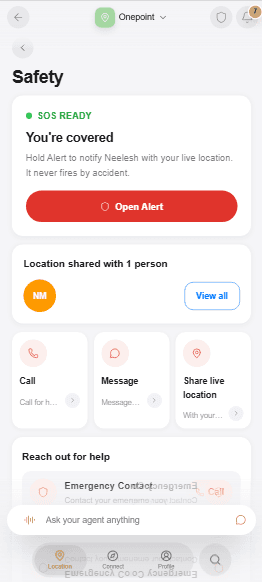
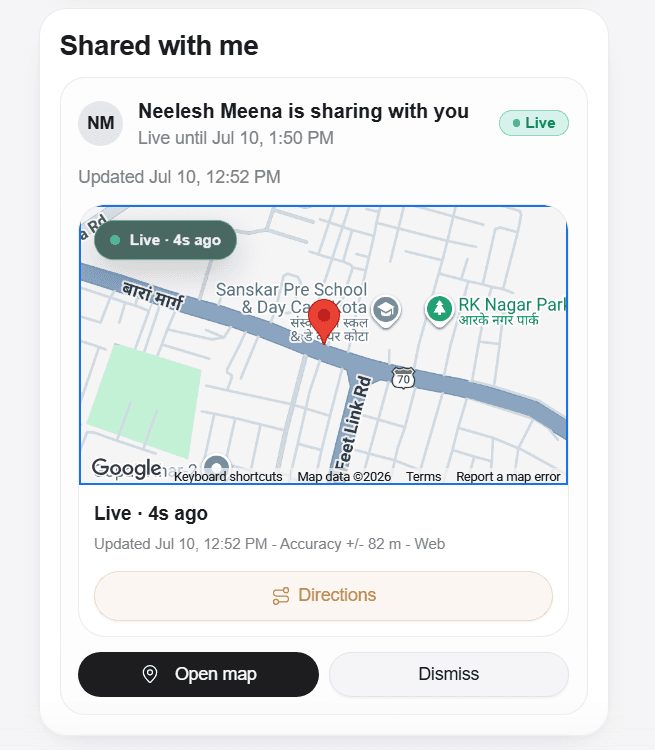
Location sharing is often introduced as a family map. That is a real and valuable job, but it is not the only one.
People coordinate location with parents, children, partners, friends, drivers, co-founders, investors, advisors, clients, and visitors. The relationship changes the appropriate permission. A partner may need a late-night check-in. A co-founder may need a one-hour arrival window. An advisor may need to request a client's location for a scheduled meeting. A visitor may need a temporary snapshot without joining anyone's permanent circle.
One Location is designed for those different relationships inside one consent model: choose the person, explain the purpose, set a duration, review, and remain able to revoke.
Story one: a late-night family check-in
A university student is walking from the library to her apartment after a late study session. Her father does not need an always-on map of every place she visits. Tonight, both of them want a simple check-in.
She opens One Location, chooses Check-In, selects her father, and sets a short window. He can follow the active share while she is on the way. The share expires when the window ends, and she can stop it earlier.
The emotional benefit is not surveillance. It is shared context for one moment, with a visible end.
Safety actions stay deliberate: call, message, or share live location with the trusted people you choose.
Story two: Pick Me Up without the guessing
A friend leaves a concert and needs a ride. "I am outside" is not enough when the venue has four exits and traffic is moving.
Pick Me Up lets the person choose a trusted recipient, share live location for the pickup window, and add context such as the entrance or urgency. The selected friend receives the request and the location needed to coordinate the pickup. The access is not inherited by everyone in a social group, and it does not need to survive after the ride.
This is an example of location sharing for families and professionals working from the same building blocks. The job changes; the consent contract does not.
Story three: an investor or advisor meeting
A founder is meeting an investor at a large conference venue. The calendar invite has the hall number, but both people know that arrival times are unpredictable.
The founder can share a precise one-hour window with the investor, or the investor can ask for a temporary share with the reason "Meeting nearby." The recipient sees who is asking, why, and for how long before deciding.
The same pattern works for an advisor meeting a client, a real-estate professional coordinating a viewing, or an executive assistant receiving a guest. Professional trust does not require permanent location membership.
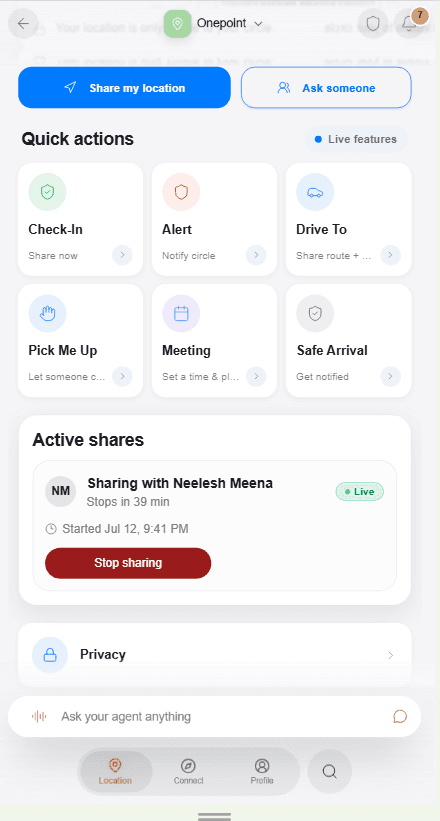
Professional coordination uses the same visible timer and Stop sharing control as every other active share.
Story four: someone outside your Trusted Circle
A delivery coordinator or event guest may not have a One account and should not become part of a Trusted Circle for a single handoff.
The Links tab supports an explicit public location link with an expiry and revoke control. Anyone holding the active link can view the snapshot the owner intentionally attached. That makes it practical for temporary external coordination, but the audience is broader than a private recipient share.
The distinction deserves plain language: private recipient shares are client-encrypted and bound to the selected recipient. Public links are explicit, expiring, revocable snapshot links. Do not put a public link in the same privacy category as a recipient-bound private share.
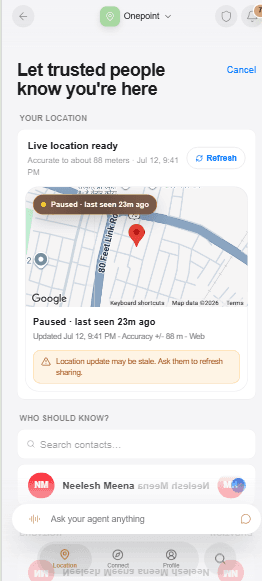
The person is selected for this moment; a relationship never becomes automatic location access.
A fair Life360 comparison
Life360 has spent years building a broad family safety product. Its official materials describe private family maps and Circles, check-ins, place and no-show alerts, location history, temporary sharing outside a Circle, driving reports, crash detection, roadside support, and emergency dispatch on eligible plans and markets. Those are meaningful strengths, particularly for households that want continuous family coordination and driving safety services.
One Location is not a claim that those jobs no longer matter, and it is not a universal Life360 replacement. It does not currently offer Life360's mature driving-safety suite, location history product, or emergency dispatch services.
Its distinct contribution is a different center of gravity: natural-language consent control inside One App, per-person timed access, relationship-aware discovery, client-encrypted private recipient shares, and an Inbox of requests and receipts. It is designed for a world where a person's trusted network includes professional relationships as well as family.
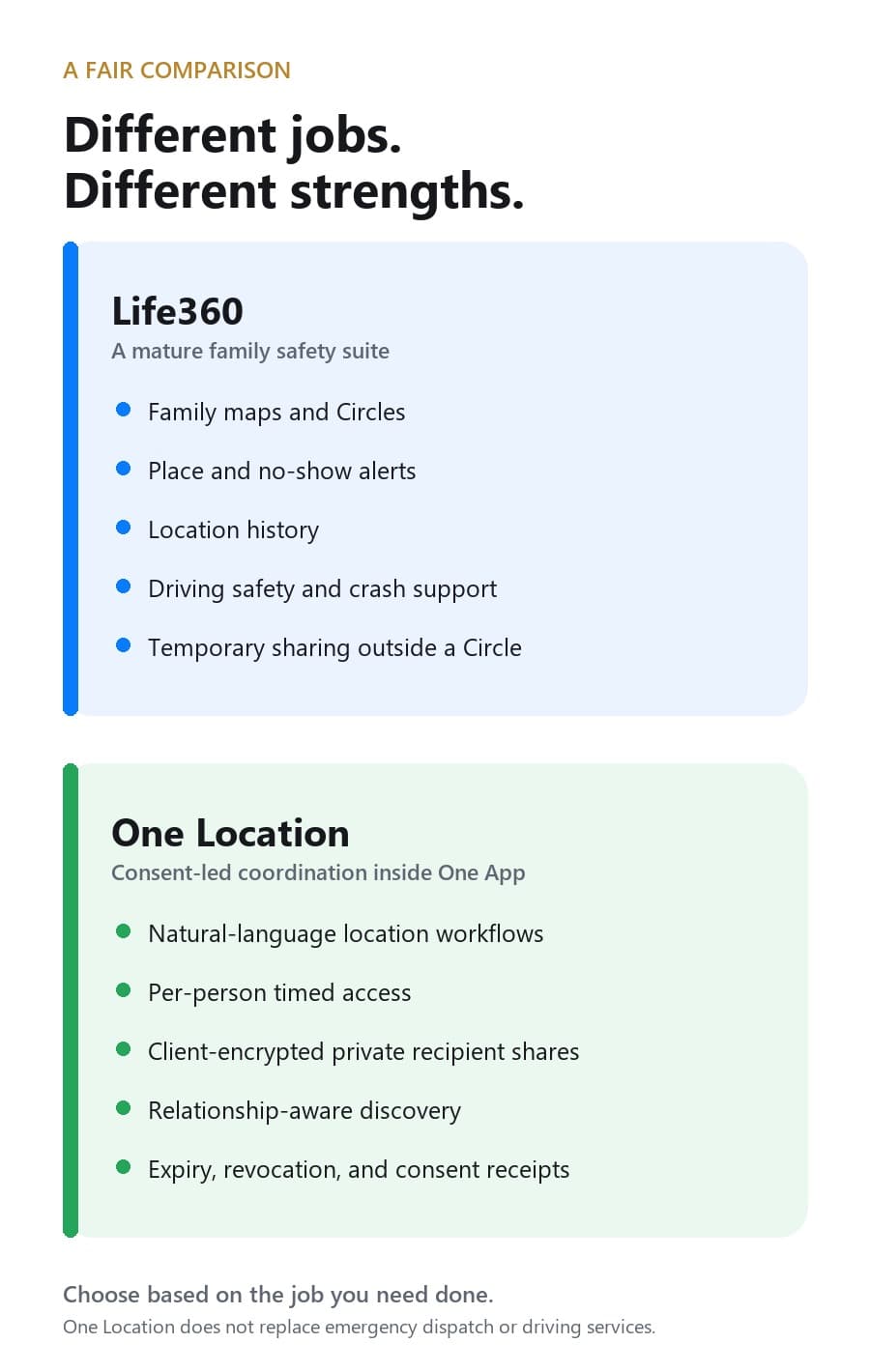
The products overlap in coordination but lead with different jobs. Choose based on the outcome you need.
For a family that wants always-available maps, multi-day history, driving behavior, crash support, and place alerts, Life360 may be the more complete fit. For a person who wants to grant one advisor, founder, friend, or family member access for one purpose and one duration, One Location offers a consent-led approach.
Trusted Circle is a directory, not a blanket grant
One Location's People tab can rank location-ready people using existing relationships, sharing history, mutual network proximity, prior consent, and relevant professional signals. That helps someone find the right "Maya" or the advisor they worked with last month.
Recommendation is not permission. The service must not expose coordinates, phone numbers, private consent scopes, or private data merely because two people are close in the network. Each live share still needs its own active grant.
That principle supports healthier professional use. A founder can keep an investor discoverable without making the investor a permanent viewer. A client can keep an advisor in their network without granting location between meetings. A family member can remain in Trusted Circle while receiving access only when the owner chooses.
What "private" means in this product
For private recipient shares, the owner's device captures the coordinate and encrypts it for the selected recipient. The backend stores the encrypted envelope and the grant metadata. The approved recipient decrypts on their device. Expired or revoked grants stop reads before another encrypted update is returned.
The Assistant can coordinate this workflow, but it does not receive the private coordinate or the recipient's private key. Notifications and consent records carry safe metadata such as who acted and when access expires, not map previews or raw coordinates.
Public links follow a separate rule because the owner is deliberately creating a shareable token and snapshot. That honesty is more useful than calling every mode "end-to-end encrypted" when the audience and mechanism are different.
How to choose your location-sharing model
Ask four questions before choosing any product or mode:
- Is the relationship continuous or temporary? A household map and a one-hour advisor meeting are different jobs.
- Who should receive access? A named recipient is narrower than anyone holding a link.
- What should end automatically? Prefer a visible expiry when the need is time-bound.
- What safety service do you expect? If you need crash detection, driving reports, roadside assistance, or emergency dispatch, choose a product and plan that explicitly provides those services.
The goal is not to turn location sharing off everywhere. It is to make the access fit the relationship.
Frequently asked questions
Is One Location a Life360 alternative?
It can be an alternative for consent-led, timed sharing with family and professional contacts. It is not a replacement for Life360's full family safety, driving, crash-support, or emergency-service offerings.
Can a Trusted Circle member always see my location?
No. Trusted Circle membership supports discovery and relationship context. Each recipient still needs an explicit active share.
Can I share with someone who is not in One?
Yes, through an explicit public link. The link expires and can be revoked, but anyone holding the active link can view its attached snapshot.
Does One Location keep a location history?
The current private-sharing architecture is designed around short-lived encrypted updates, expiry, revocation, and limited retention. It should not be marketed as a consumer location-history product.
Families and professionals do not need the same relationship model, but they can benefit from the same standard: clear intent, narrow access, and a visible end. That is the promise behind One and the reason location belongs inside a user-owned agent.
Sources
The 🤫 hussh magazine
Written by hussh Team, and built to read beautifully here — and to travel to 🤫 One on your phone, your glasses, and visionOS, as one immersive magazine you own.